
This quick how-to article guides the steps to locate the configuration page for PHP-FPM on WHM-enabled server to adjust settings such as pm.* values.
You must have root access to WHM to be able to configure these settings.
The primary location to manage PHP-FPM configuration on WHM is MultiPHP Manager.
1. Go to MultiPHP Manager
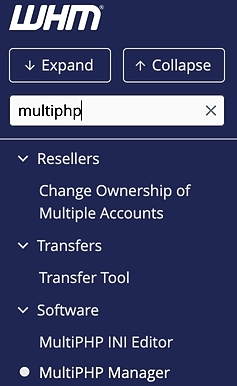
Locate the MultiPHP Manger by typing the search term on the left sidebar.
2. Navigate to PHP-FPM setting page for a domain
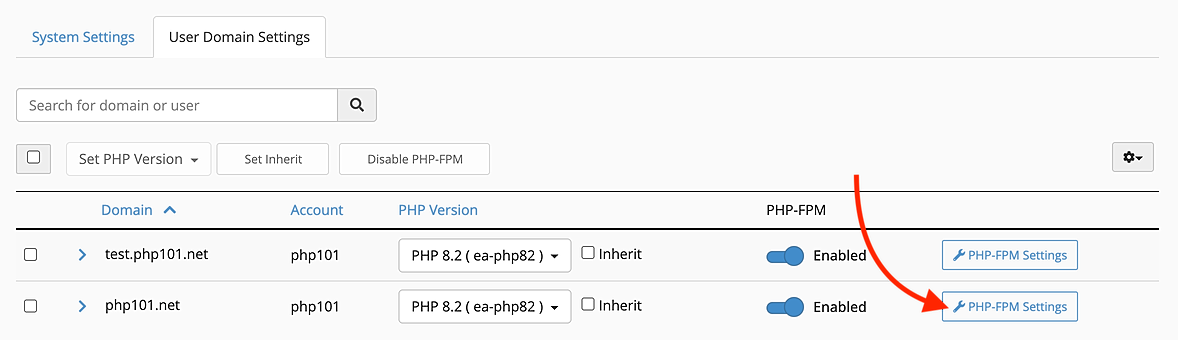
Select the User Domain Settings tab in the bottom section. Then locate the domain you want to adjust the settings and click the PHP-FPM Settings button.
3. Adjust the PHP-FPM settings
You can now adjust the PHP-FPM settings for the desired domain in the User Domain Settings section.
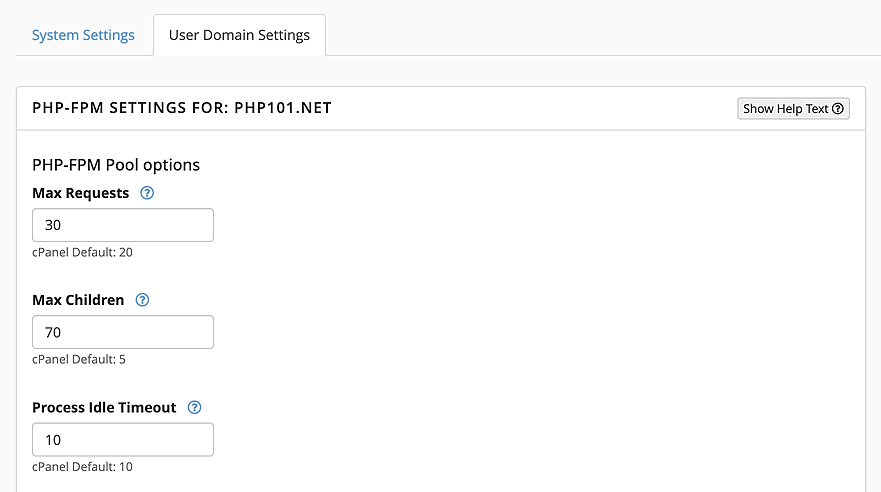
This will adjust the PHP-FPM settings for the specific domain only. To adjust PHP-FPM settings for system-wide, use the System Settings tab.